
The Realm by Minelab
Minelab Electronics Pty LtdSports
4.515.00 Reviews
- Version
- 0.78.1
- Installs
- 10.00K
- Age Rating
- Teen
Screenshots
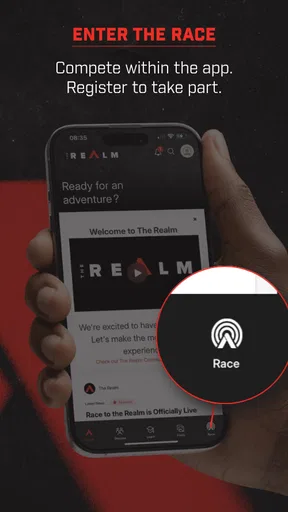
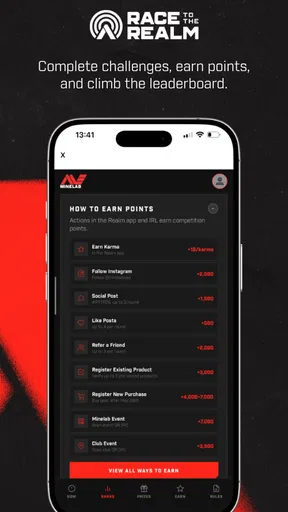

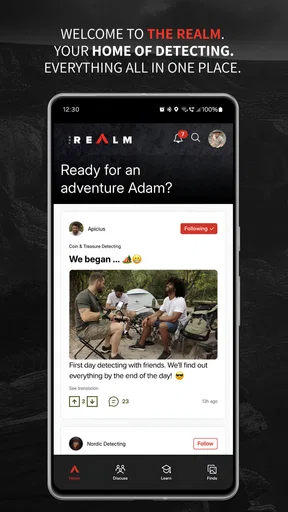
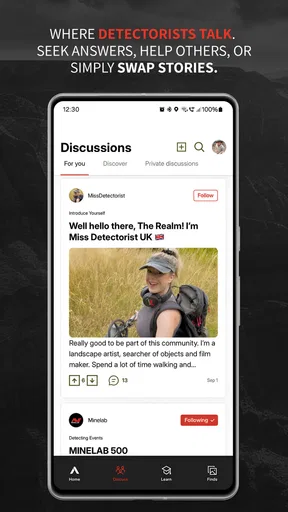
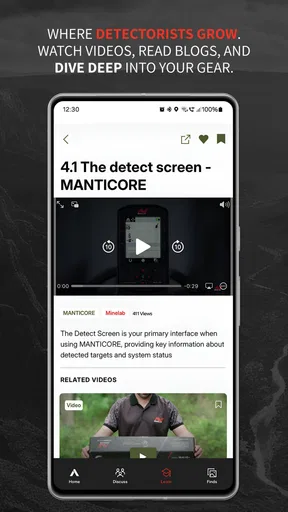
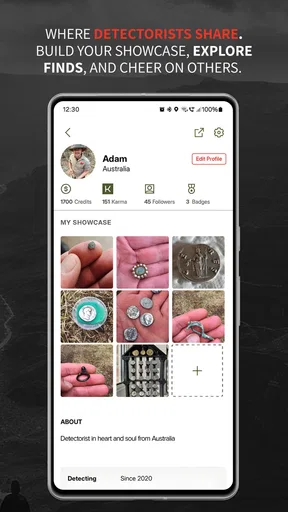
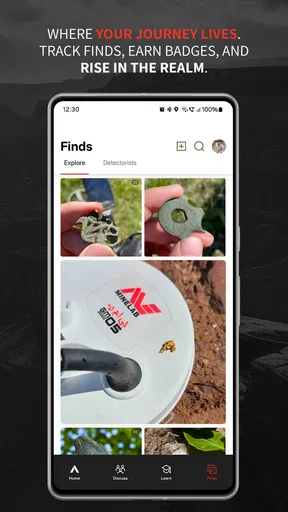
Our Review of The Realm by Minelab
 Analysis by Appyee
The Realm is a sports app from Minelab Electronics Pty Ltd aimed at people who enjoy detectoring and want a more connected way to take part in that hobby. I approached it as a first-time user rather than someone already familiar with every detectorist community, and that made its main appeal clear: it is less about replacing the physical activity and more about giving the people around it a shared digital space.
That distinction matters. If you are looking for an app that turns your phone into a metal detector, this is not the experience I would expect you to want. If you already spend time searching, learning, comparing finds, or talking with other enthusiasts, the app makes more sense. Its store summary, “Where detectorists connect,” points toward that social purpose, while the short description, “The Realm,” gives the product a community identity rather than presenting it as a technical control panel.
I found the best way to judge it was to ask a simple question: can a newcomer move from installation to a useful interaction without feeling lost? The answer is yes, although the experience depends heavily on how much you bring to the community. The app is free, carries a Teen content rating, and has reached over ten thousand installs. Its average rating is 4.5, based on around sixty ratings, with roughly fifteen written reviews, so there is encouraging early interest but not the enormous user base of a mature mainstream social platform.
What to expect from The Realm
The first thing I would tell a friend is not to treat The Realm like a conventional sports score app. There is no reason to install it expecting fixtures, live results, training plans, or a stream of professional competition. Its sports classification makes sense because detectoring is the activity at the center, but the actual value is in connecting people who share that interest.
That makes the app especially relevant when the hobby feels solitary. Searching alone can be relaxing, but it can also leave beginners unsure about what they have found, how to approach a location responsibly, or whether a small discovery is worth discussing. A dedicated space can make those questions easier to bring up than a broad social network where detectoring is only one topic among thousands.
In everyday use, I would picture opening the app after a weekend search. You might have a photograph of an unusual object, a question about an unfamiliar signal, or a story about a location that produced an unexpected result. The meaningful action is not simply browsing; it is turning that experience into something another detectorist can respond to. That is the point at which the app begins to feel useful rather than merely present on your phone.
The Realm works best as a companion to time outdoors, not as a substitute for the detector, the search itself, or your own judgement. That is an important expectation to set before downloading it. The app can help you connect and learn, but it cannot make a poor search location productive or identify every object for you.
I also noticed a trade-off that is easy to miss in a short store description. A specialist community can be more relevant than a general social network, but it may also feel quieter. With an early install base, the quality of your experience will depend on whether other users are active when you open the app and whether you contribute enough detail to start useful conversations. I would not judge it only by the number of posts visible during one short visit.
Who will get the most from it
The strongest audience is a beginner who wants a gentle entry into detectoring culture, an occasional hobbyist who enjoys sharing finds, and an experienced user who likes comparing observations with people who understand the activity. It can also suit someone who has recently bought a detector and wants to feel less isolated while learning the basics.
I would be more cautious recommending it to someone who wants a private logbook, advanced detector settings, offline mapping, or a highly structured training course. Those are different needs. A community app may offer encouragement and conversation, but it should not be confused with a dedicated field-recording tool or the manual for your detector.
Starting cleanly after installation
My advice for a first session is to avoid trying to understand everything at once. Install the current version, 0.78.1, then spend a few minutes learning the basic layout before posting. The app was released on November 24, 2025, so I would approach it as a relatively young product rather than assuming every part has the polish of a long-established platform.
The minimum operating-system requirement is Android 9 or later. That is useful to know before you plan a trip around the app, especially if you use an older phone that still works well for calls and photos. I would check compatibility at home, while you have time to update or switch devices, rather than discovering the issue at a meeting point.
During setup, I would choose a profile name that is easy for other detectorists to recognize and keep the introduction practical. Mention whether you are new to the hobby, what kind of searching interests you, and whether you are mainly hoping to learn, share finds, or meet people for discussion. A short, specific introduction gives others something to respond to; “I like detecting” gives them very little to work with.
There is also a privacy habit worth adopting from the beginning. Do not rush to publish exact locations of promising sites, private land, or anything that could encourage unwanted visits. A useful post can describe the kind of environment, the general lesson, and the object without revealing a precise spot. This is not just a social courtesy. It protects your own future searches and keeps the community conversation focused on responsible participation.
Because the app is rated for teens, I would still use normal online-community judgement. Be careful with personal details, avoid arranging an in-person meeting without sensible precautions, and remember that a specialist interest does not automatically make every stranger trustworthy. The age rating is helpful context, but it is not a replacement for basic safety.
Your first meaningful action
The easiest way to get value from The Realm is to prepare one small piece of useful content before opening it. Take a clear photograph of a find, write down where you encountered it in broad terms, and describe what you already know. If you have not found anything yet, ask a focused beginner question instead of apologizing for being new.
For example, a post explaining that you are learning to distinguish ordinary metal clutter from a promising signal gives experienced users a clear opening. A photograph with a size reference can be more helpful than a dramatic close-up, because other people can judge shape and scale. These details are simple, but they are the difference between a post that invites knowledge and one that receives only a quick reaction.
I would also test the app with a low-stakes interaction before sharing something important. Read a few discussions, respond to a question you can genuinely help with, or acknowledge a useful explanation. This lets you understand the tone of the community and see how much context people normally include. It is a better introduction than immediately posting several unrelated updates.
A realistic first-week routine could look like this: browse briefly before a search, save a mental note of one question you want to investigate, then return afterward with a photo and a short account of what happened. That creates a feedback loop between field experience and community learning. You are not opening the app just to scroll; you are using it to improve the next outing.
The non-obvious advantage of this workflow is that it helps you notice your own habits. If you repeatedly ask about the same type of signal or object, you may need more practice with your detector technique rather than another isolated answer. Community feedback is most useful when you treat it as a way to spot patterns over time, not as a machine that supplies instant certainty for every find.
Where new users may feel confused
The biggest possible confusion is the difference between a social connection app and a detector companion. The Realm’s name and sports category could lead some people to expect a complete field toolkit. I would not make that assumption. Think of it as the place where detectorists exchange experience, not necessarily the device that performs the search.
Another point of friction is knowing how much detail to share. Too little information makes a question difficult to answer, while too much personal or location information can create unnecessary risk. I found the most useful middle ground to be a clear image, a general setting, the circumstances of the discovery, and the exact part that puzzles you. Leave out identifying details that do not improve the discussion.
New users may also mistake a confident reply for a confirmed identification. A community can offer informed opinions, but an object may need proper research or professional assessment. Treat suggestions as leads. Compare several explanations, check reliable references, and avoid presenting an uncertain guess as fact when you pass the information to someone else.
There is a social confusion too: a quiet feed does not necessarily mean the app has no value. Smaller communities often reward deliberate participation more than passive scrolling. If you only open the app for a few seconds and see little activity, try returning after you have something specific to contribute. The usefulness of a specialist network grows through the quality of exchanges, not only through the number of visible updates.
Finally, remember that responsible detecting is part of being a good community member. Respect permissions, local rules, private property, and the condition of the places you visit. Even if a discussion is technically about an object, the surrounding advice can influence real-world behavior. I would rather see The Realm encourage careful habits than turn every interesting location into a race for attention.
How it compares with familiar alternatives
A general social network may have more users and faster reactions, but its detectoring discussions are usually mixed into unrelated content. That makes specialist conversation harder to find and easier to lose. The Realm’s advantage is focus: when the community is active, your question is more likely to reach people who understand why a particular signal, object, or field situation matters.
Messaging groups can be better for a small circle of friends who already know one another. They are quick and personal, but useful explanations can disappear inside a fast-moving chat, and a newcomer may feel uncomfortable entering the conversation. A dedicated community can provide a more natural public starting point for learning, particularly when you do not yet have local contacts.
Dedicated logging or mapping tools are the better choice when your priority is recording search sessions, organizing finds, or maintaining a private reference. They usually serve the individual workflow first. The Realm serves the connection between users first. I would happily use both types of tool if I wanted a personal record and a place to discuss selected discoveries.
Manufacturer-focused utilities can also be more appropriate when you need device-specific instructions or technical control. Since Minelab Electronics Pty Ltd develops this app, the connection to the detectoring world is clear, but I would still approach the community experience on its own terms rather than assuming it replaces every other Minelab-related resource.
This comparison leads to a practical decision. Choose The Realm when your next question is “Who can I learn this from?” Choose a logbook when it is “How do I organize what I found?” Choose a manual or technical companion when it is “Which setting does my detector use?” Those needs can overlap, but they are not interchangeable.
Taking the next step
After the first successful post or reply, I would not try to become an expert overnight. Instead, use the app to build a repeatable learning habit. Follow discussions that answer questions you are likely to face again, keep your own notes outside the conversation when advice is especially useful, and return with an update after trying it in the field.
One particularly effective approach is to report the result of advice you received. If someone suggested changing your search pattern, cleaning an object carefully, or taking a better photograph, explain what happened when you tried it. That closes the loop for the person who helped you and gives future readers more useful context than the original question alone.
I would also keep posts narrow. A single question about one object is easier to answer than a long account containing five unrelated mysteries. Once you understand the community’s rhythm, you can share broader stories, but focused posts are the fastest way to receive practical replies and learn how experienced detectorists explain their reasoning.
For someone deciding whether the free download is worth space on the phone, my answer is yes if you want a dedicated place to connect around detectoring and are willing to participate. The 4.5 average is encouraging, and the early audience gives the app a promising foundation, but I would keep expectations realistic: a young community may not provide instant answers at every hour or for every unusual find.
I would skip it if you want a fully offline tool, a private inventory, or a direct replacement for detector hardware. I would also skip it if you dislike sharing questions or learning in public, because its central benefit comes from interaction. Browsing alone can be pleasant, but it will not show the app at its best.
My overall impression is that The Realm has a clear purpose and a sensible entry point for newcomers. It gives a first-time detectorist somewhere to ask, observe, and gradually contribute without needing a large existing network. The strongest results come from pairing it with real outdoor practice, careful privacy choices, and patient follow-up rather than expecting one post to solve everything.
If you install The Realm, begin with one honest question, one useful photograph, and one respectful reply. That small sequence is enough to discover whether its community fits the way you enjoy the hobby. For me, that is the app’s real promise: not making detectoring effortless, but making the learning and sharing around it feel less solitary.
Verdict
Strengths of The Realm by Minelab
- Clear target identification helps distinguish valuable finds from ordinary metal.
- Customizable search modes suit different ground conditions and detecting goals.
- The interface is approachable for beginners while offering useful detector guidance.
- Minelab branding provides confidence for users familiar with its detecting equipment.
- Useful field information can help users plan searches and understand local conditions.
Limitations of The Realm by Minelab
- Results depend heavily on the detector model and available location data.
- Some features may be less useful without an active Minelab detector connection.
- Coverage and accuracy can vary between regions and detecting sites.
- The app may require location permissions that some users may prefer to avoid.
- Beginners may still need separate research to interpret signals and find settings.
Similar Picks in This Category
View All
BeSoccer: Soccer Live Score
BeSoccer apps4.3

Cricbuzz - Live Cricket Scores
Cricbuzz.com3.7

NFL
NFL Enterprises LLC2.4

Da Fit
MO YOUNG LIMITED3.6

ESPN
Disney4.5

LiveScore: Live Sports Scores
LiveScore Limited4.5
Frequently Asked Questions
What is The Realm by Minelab?
The Realm by Minelab is a companion app designed to work with compatible Minelab metal detectors. It helps users manage detector settings, review and organize detecting information, and stay connected with the wider Minelab experience. Before downloading, check the app description and your detector’s documentation, because available tools and compatibility can vary depending on the model, operating system, and region.
Which Minelab detectors are compatible with The Realm?
Compatibility depends on the specific Minelab detector and the version of the app installed on your Android or iOS device. Not every Minelab product necessarily supports every feature. We recommend confirming compatibility on Minelab’s official website or in the detector manual before installation. You should also keep both the app and detector firmware updated to reduce connection problems and access the newest supported functions.
Does The Realm require an internet connection or a Minelab account?
Some parts of The Realm may require an internet connection, particularly account sign-in, cloud-based features, content synchronization, updates, or community-related tools. A Minelab account may also be needed to use certain services. Basic access can differ by device and feature, so users should not assume that every function works offline. Mobile data charges may apply when Wi-Fi is unavailable.
Is The Realm free to download and use?
The Realm may be available as a free download, but the overall experience can depend on owning a compatible Minelab detector and using supported services. App availability, optional features, and account requirements may change over time. Before downloading, review the current Google Play Store or Apple App Store listing for pricing information, in-app purchases, subscription details, and the latest terms provided by Minelab.
What should I do if The Realm cannot connect to my detector?
If the app does not connect, first confirm that your detector is supported, powered on, sufficiently charged, and within Bluetooth range when Bluetooth is required. Enable the necessary permissions, update the app and detector firmware, and make sure the detector is not connected to another phone. Restarting both devices can help. If the issue continues, consult Minelab’s support documentation or contact customer service.
